Platform:WinXP,Windows2000,Windows2003,Windows Tablet PC Edition 2005,Windows Media Center Edition 2005,Windows Vista Starter,Windows Vista Home Basic,Windows Vista Home Premium,Windows Vista Business,Windows
A Personal Information Manager (PIM), which enables you to organize and securely store your personal information in a strongly encrypted database. This information will be accessible from your personal computer and/or Pocket PC.
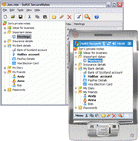
SoftX Secure Notes is a Personal Information Manager (PIM), which enables you to organize and securely store your important, personal, and sensitive information in a strongly encrypted database file. This information will be accessible from your personal computer or your Pocket PC. You can, for example, use Secure Notes to keep all of your logins and passwords in one safe place, and only have to remember one password in order to enter into the Secure Notes database file.
With Secure Notes you can create different database files for different kinds of information that you want to store. For example, you can create one database file to keep your passwords, one for storing your ideas and thoughts, one for your reminders and one for your diary. In this way Secure Notes acts not only as a secure place in which to store your information, but also as an organizer; enabling you to keep all your important information in one place.
Secure Notes uses the very strong encryption Rijndael Block Cipher Algorithm, which is approved by US governmental institutions as the Advanced Encryption Standard (AES). The encryption key is based on your password. With Secure Notes you can be sure that nobody but you will have access to this information.
Secure Notes has two versions; one for your personal computer and one for your Pocket PC. The same Secure Notes database file can be used on your personal computer, and on you Pocket PC. You can use your personal computer to quickly enter or edit your notes when you are at home, and your mobile Pocket PC for viewing and editing notes when you are at work or on a trip. Your information always will be with you. Whats new in version 3.4: The user interface significantly improved.
Added an anti-keylogger keyboard.
Added a built-in FTP manager that allows you to store all of your important SecureNotes database files on your Web server directly from the program.
Added the ability to attach files to the notes. Requirements: N/A Operating system: WinXP,Windows2000,Windows2003,Windows Tablet PC Edition 2005,Windows Media Center Edition 2005,Windows Vista Starter,Windows Vista Home Basic,Windows Vista Home Premium,Windows Vista Business,Windows Limitations: 14-day trial Release notes: Major Update
MIE Calendar Software is a revolutionary calendar and collaboration tool. MIE Calendar is intended for businesses whose employees want to share calendars, information and tasks.
Price: $0, Rating: 10, Downloads: 122 Download
My Address Book is an easy to use contact manager for keeping track of friends, family, and business contacts.
Price: $0, Rating: 9, Downloads: 112 Download
AllMyNotes Organizer - secure random information manger! Save every bit of your info safely hidden from prying eyes. With this app working on ideas, notes, and storing diaries is a pure pleasure!
Price: $34.00, Rating: 9, Downloads: 105 Download
DesktopMirror for Outlook and Palm Desktop lets you synchronize information between Palm Desktop and Outlook. Then it is quite easy to keep your information up to date on your Palm, Palm Desktop and Microsot Outlook.
Price: $26.95, Rating: 5, Downloads: 104 Download
A small utility that displays a calendar with the twelve months of a year using Windows regional settings. Easy acces through a taskbar icon, which shows the current day. Configurable colors, column layout, first month and first day of the week.
Price: $, Rating: 0, Downloads: 102 Download
User Rating
Rating:2.2 out of
5 Based on13 ratings.
13 user reviews.

 SoftX Secure Notes 3.4 details